



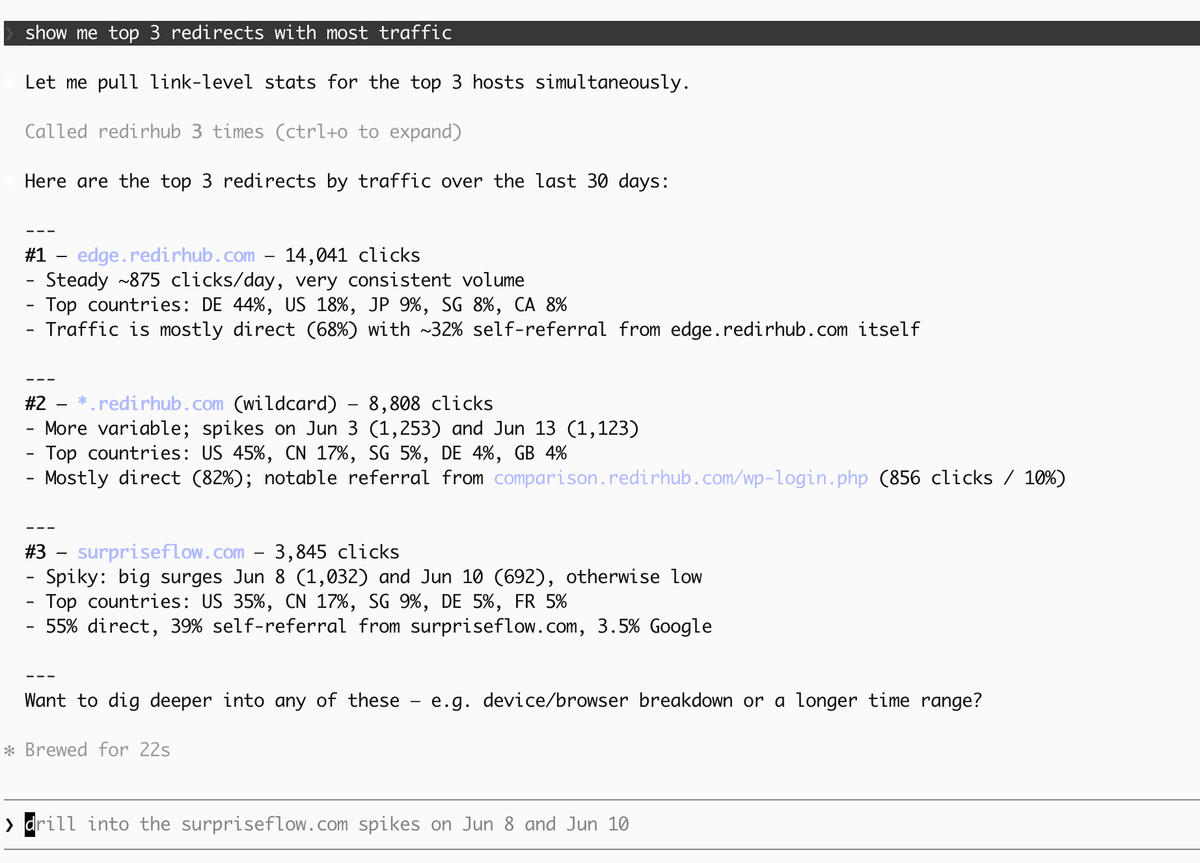
top 3 redirects with most traffic
We've shipped four major improvements to the RedirHub MCP (Model Context Protocol) platform this week — bringing powerful new analytics capabilities, a streamlined domain connection workflow, and full tool visibility to every AI agent integration.
All updates are live on MCP v1 and available on every plan.
📊 New: get-stats-tool — Redirect Analytics in Your AI Agent#
Query redirect click statistics directly from your AI agent — no dashboard switching required. The new get-stats-tool supports both link-level and organization-level analysis with flexible breakdowns.
Capabilities:
- Total clicks with time-range filtering
- Click trends over time (hourly/daily/weekly)
- Breakdowns by country and redirect handler type
- Single link or full organization scope
- Parallel async queries for fast responses
🔍 New: get-access-logs-tool — Raw Access Log Query#
Go deep on your redirect traffic with the new get-access-logs-tool. Query raw ClickHouse access log records with rich filtering — perfect for debugging, security auditing, and traffic analysis.
Filters: file, country, redirect handler, browser, device type, referrer, IP address, user agent
Includes cursor-based pagination for large result sets and a bot_free mode that excludes crawler traffic for cleaner analysis.
🔗 Unified: connect-host-tool — One Tool for Every Domain Type#
We've merged create-host-link-tool and delete-host-link-tool into a single, intelligent connect-host-tool. One tool handles root domains, subdomains, and wildcard domains — automatically choosing the right DNS verification method.
- Root domains, subdomains, and wildcards — all in one tool
- Optional short_url and HTTPS request parameters
- Wildcard domains auto-filter CNAME records per RFC spec
📋 Fix: All 17 Tools Now Visible in tools/list#
A pagination bug was silently capping the tools/list response at 15 tools — hiding the last 2 tools (get-stats-tool and get-access-logs-tool) from AI agent discovery. We've increased the page size to 50, so all 17 MCP tools are now properly visible to every connected agent.
Getting Started#
All updates are live now on the MCP v1 endpoint. Visit your dashboard API settings, generate an API token, and connect your AI agent to https://api.redirhub.com/mcp/v1. If you're new to MCP, check out our setup guide to connect RedirHub to Claude, Cursor, or Codex in under 5 minutes.